
Flight Simulator
Aircraft Repainting Tool
-
Select and load an existing Flight Simulator aircraft.
-
Edit its textures using the built-in image editor or an external editor (Adobe Photoshop, Corel PSP, GIMP, Windows Paint, etc.).
-
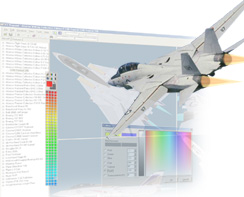
Preview changes instantly in the 3D view window.
-
Save your repainted aircraft.
-
Launch Flight Simulator and fly your newly painted aircraft.
With FSREPAINT, you save time and effort because changes are visible immediately—you don’t need to restart Flight Simulator after every texture modification. It’s truly a “what you see is what you get” experience.
Main features:
Lockheed Martin Prepar3D
compatibility – repaint native aircraft with full support.
Microsoft Flight Simulator
compatibility – works with FSX, FSX: Steam Edition, FS2000,
FS2002, and FS2004. (Not yet
compatible with Microsoft Flight Simulator 2020 or 2024.)
Microsoft Combat Simulator 2
support – repaint native aircraft easily.
Third-party aircraft support
– compatible with many freeware and commercial add-ons.
Real-time 3D preview –
see your work instantly from multiple angles.
Multiple 3D views – up
to four independent simultaneous perspectives.
Built-in image editor
– includes a range of useful painting tools.
External editor support
– seamlessly integrate Adobe Photoshop, GIMP, and others.
Night and day visualization
– preview your livery under different lighting conditions.
Virtual cockpit painting – apply textures inside the cockpit for a complete visual overhaul.